Plan your week's lessons
Available on Run and Grow
Plan Monday to Friday activities for a classroom, and on Grow let Sunny draft the week or next week for you.
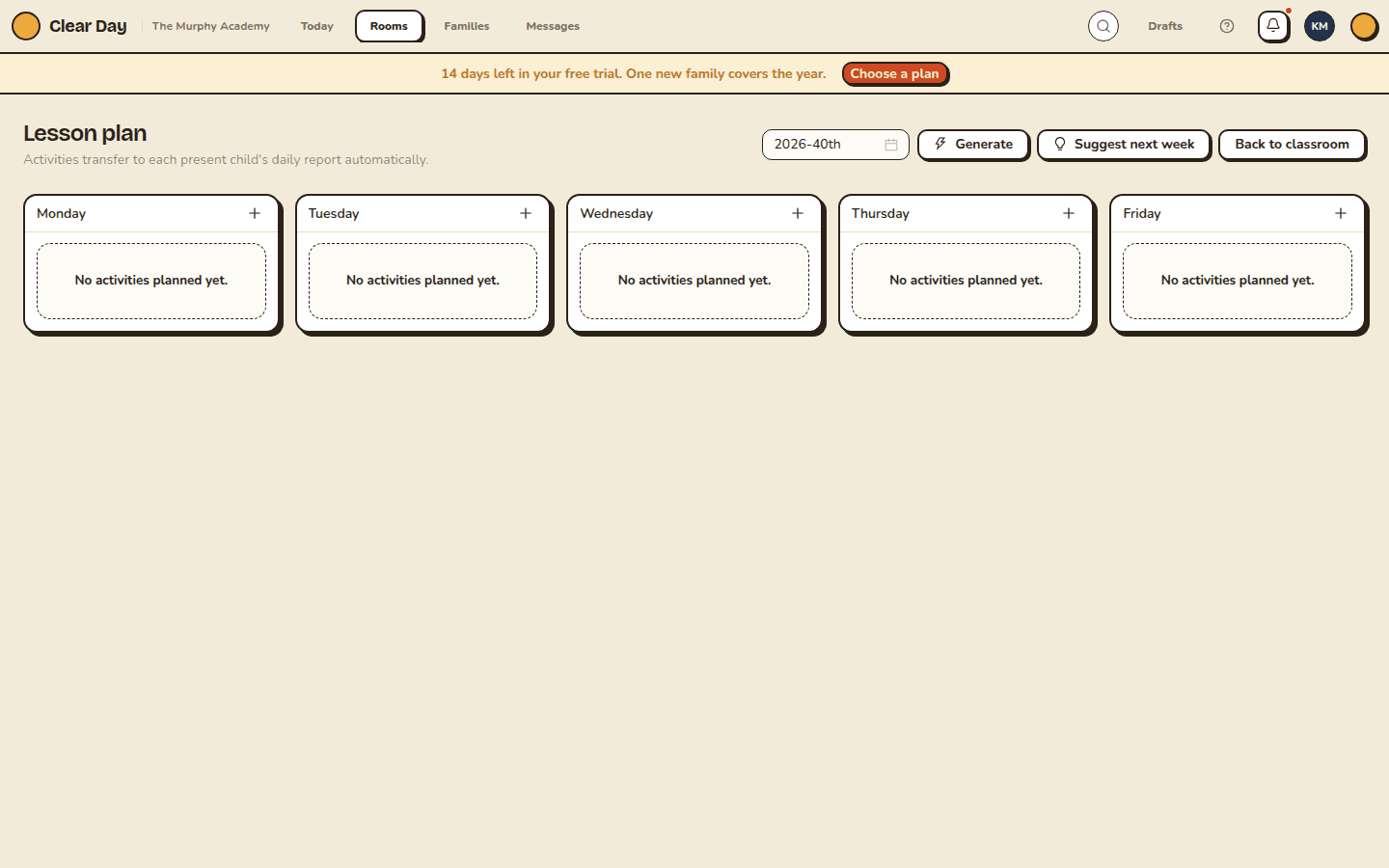
Each classroom has one lesson plan per week, with a list of activities for each day from Monday to Friday. Teachers and school admins can write it by hand on Run and Grow. Generate and Suggest next week, which have Sunny draft a plan, are Grow features. Planned activities carry through to each present child's daily report automatically.
Open the plan
On the web, open a classroom and select Lesson plan. In the app, open Room actions and choose Lesson plan.
On the web, pick the week with the week picker. In the app, switch between This week and Next week.
Add and edit activities
- Under the day, select the add button (the plus). In the app it's labeled "Add activity to" and the day.
- Enter a Title. A Description and a Standards tag are optional. The tag is free text, such as "NAEYC 2.D.03".
- Select Save.
Use the edit and delete buttons on an activity to change or remove it. In the app, deleting asks you to confirm. An empty week reads "No activities planned yet" on each day, or No plan yet in the app.
Let Sunny draft the week (Grow)
- Generate drafts a full week. It replaces the activities already on the week you're looking at, so use it to start from something, not to tweak a plan you've refined.
- Suggest next week drafts next week's plan from your room's age range, the season and what you've logged recently. It only replaces an earlier Sunny draft. Activities you wrote yourself are kept.
Anything Sunny writes is marked Drafted, and you can edit or delete it like any other activity. On Run, Generate and Suggest next week are grayed out on the web, with a note that they're available on Grow. In the app they're rolling out: if you don't see them yet, they aren't on for your school.
For a longer conversation about the week ("make Thursday quieter"), the app also has Generate with Sunny, which opens Sunny with this week and classroom attached. See Lesson plans and classroom content.
Related articles
- Lesson plans with Sunny
Where Sunny helps with lesson planning, what differs between the web and the app, and what needs Grow.
- Log a child's meals, naps and activities
Log one event for one child, read the daily report it feeds, and set the day's behavior rating.
- Manage classrooms
Create and edit classrooms, set the age group, capacity and staff-to-child ratio, and understand what a room adds to your bill.
Last updated on