Work your inbox with Needs you
Available on Run and Grow
See which conversations are waiting on an answer, mark them handled, and pass one to a colleague so two people do not reply.
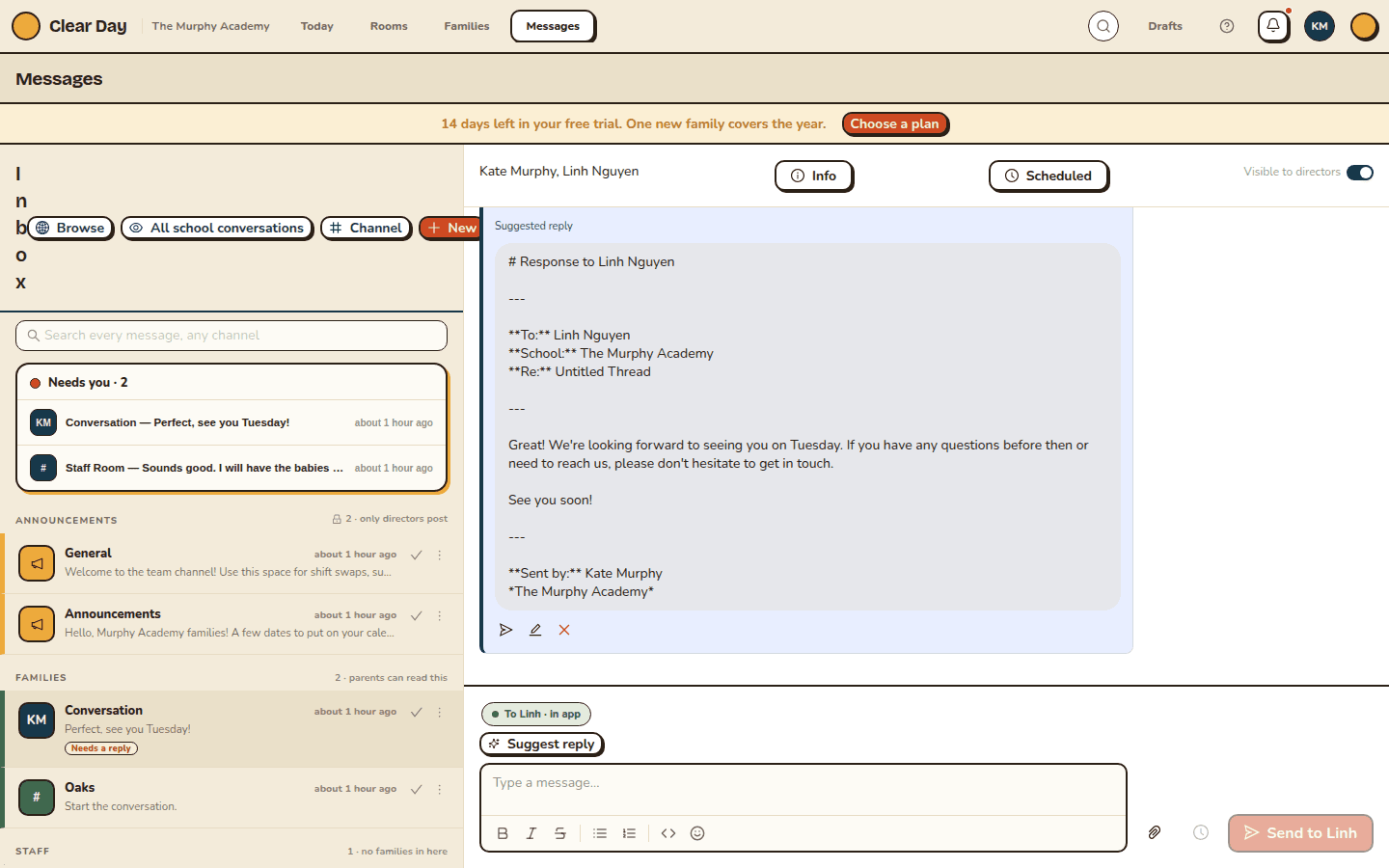
A conversation can be read and still be waiting on an answer. Needs you keeps track of that, so two people do not both assume the other one replied.
What counts as needing a reply
A conversation is tagged Needs a reply when the last message in it came from someone else and nobody has marked it handled. Reading it is not enough to clear it. Replying to it, or marking it handled, is.
The tag is worked out on the server, so everyone on your team sees the same thing.
The Needs you strip
At the top of the inbox, Needs you shows the conversations waiting on an answer, with the most recent first. It shows three at a time. If there are more, See all switches the list to only those, and Show all switches back.
The strip is a shortcut, not a second inbox. Every row in it also appears in its section below. It is hidden while you are searching.
Mark a conversation handled
On a row, use the check mark, Mark handled, when the exchange is settled. The tag becomes Handled, with the first name of whoever settled it. Reopen brings it back.
Handled covers the conversation only up to its last message. If the family writes again, it needs a reply again.
Pass one to a colleague
Open the More menu (the three dots) on a row and choose Pass to a colleague. Pick a person under Who should own this? and choose Pass it over. The row then shows "Ana has it", and the conversation comes back onto that person's list.
You can only pass a conversation to another staff member who is already in it. If there is no one, you will see "No other staff in this conversation to pass it to." To change who has it later, choose Change who has it.
What you need to know
- Needs you is for staff, and it is on the web. Parents never see it.
- The fastest way through a stack of family messages is to let Sunny draft the replies and approve them one at a time. That is part of Grow.
Related articles
- Find and read your conversations
How the Messages inbox is organized, how to search it, and how to see conversations you were not added to.
- Draft a reply to a family
Have Sunny write a first-pass reply to a family's message, edit it, and send it as an email from Clear Day.
- Post messages and reply to threads
Send a message, reply in a thread, react, retry a failed send and see who has read what.
Last updated on