Raise tuition across your plans
Available on Run and Grow
Raise the rate on one or more billing plans at once, with notice sent to every affected family and the change scheduled for a date you choose.
You can raise tuition on several billing plans at once. Clear Day shows what changes for every family, sends each of them a notice, and applies the new rate on the date you pick. This is for directors and school admins, and it's web only.
Start a raise
Open Billing, then Manage plans, and choose Raise rates. The page is called Raise rates, the decent way.
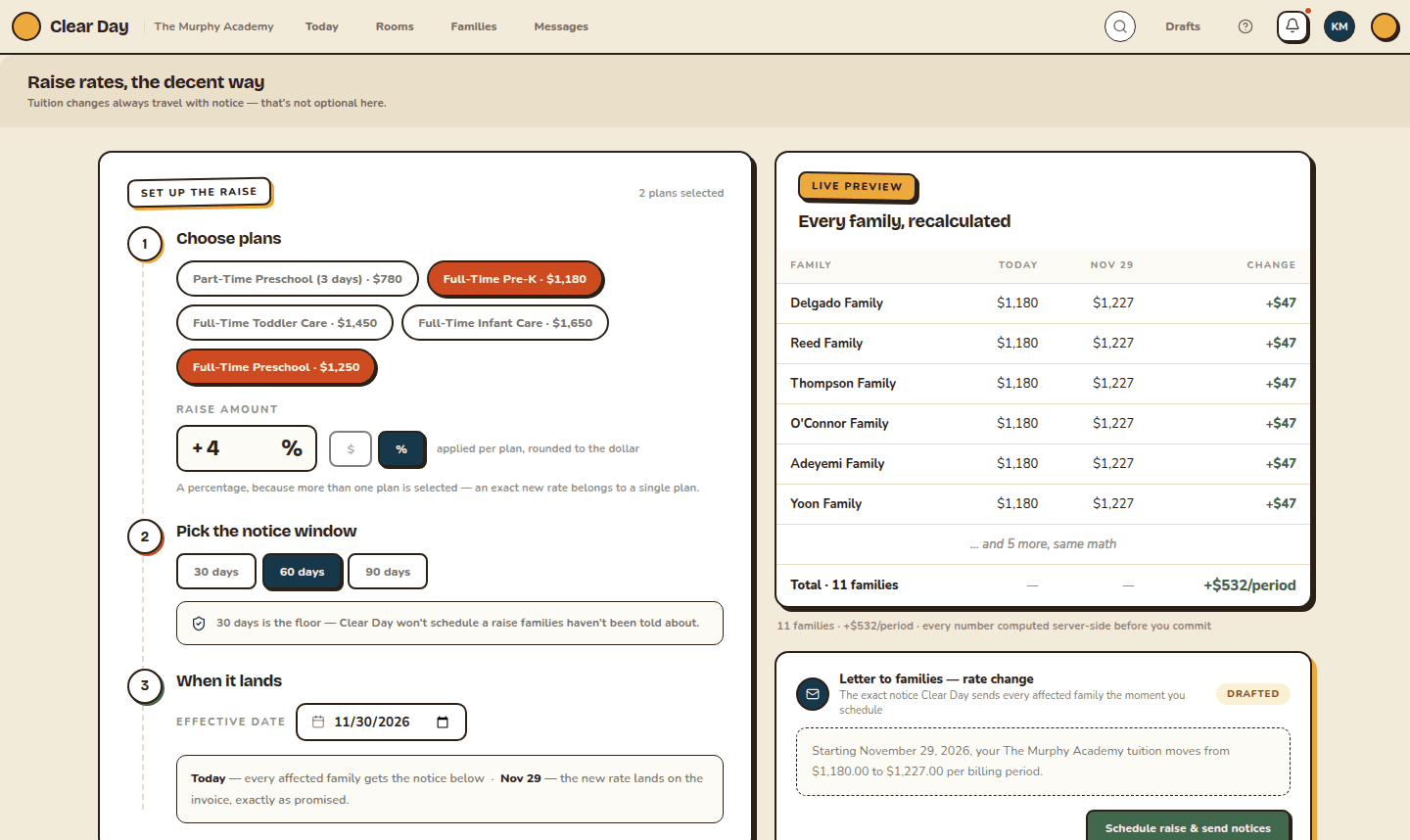
- Choose plans: pick one or more of your billing plans.
- Raise amount: enter a percentage, which is applied to each plan and rounded to the dollar, or switch to $ and enter the plan's new base tuition. A dollar amount only works when one plan is selected.
- Pick the notice window: 30, 60 or 90 days. 30 days is the shortest, so Clear Day won't schedule a raise families haven't been told about.
- When it lands: the Effective date. It can't be sooner than your notice window.
Check the preview
As you fill it in, Live preview shows every family, recalculated: what they pay today, what they'll pay on the effective date, and the change. Nothing is saved yet.
A family on a custom tuition amount isn't changed. Only families billed at the plan's base rate move.
Under the preview, Letter to families shows the exact notice every affected family will receive. You can't edit it.
Schedule it
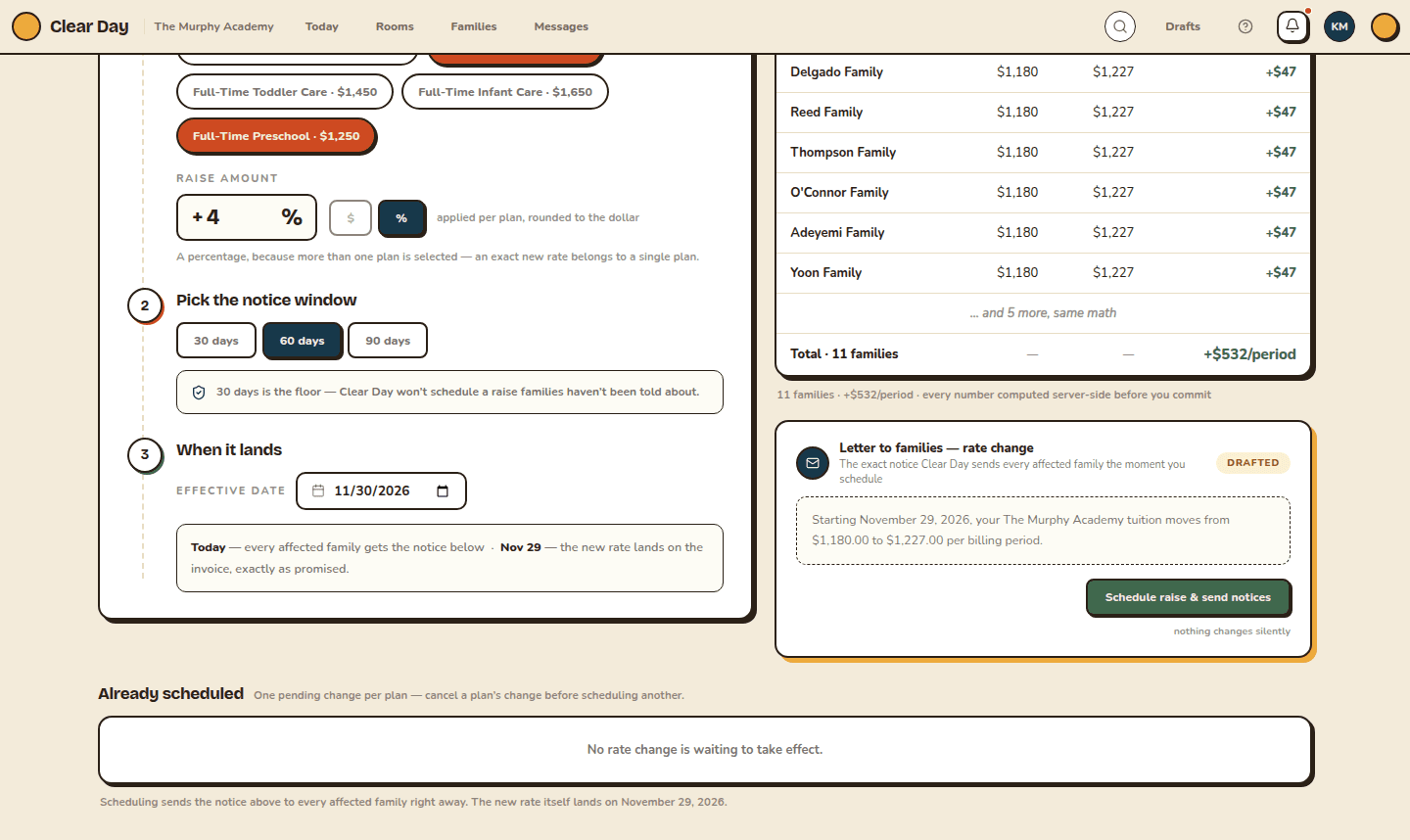
Choose Schedule raise & send notices. Clear Day may ask you to Verify it's you, because this changes what every family on those plans pays. Scheduling sends the notice right away, and the new rate takes effect on the date you chose. The result shows, plan by plan, how many families were noticed.
Cancel a scheduled raise
Already scheduled, at the bottom of the page, lists every raise waiting to take effect, with the plan, the old and new rates, the date and the notice window. Choose Cancel this change to call one off, and verify if asked. A plan can have one pending change at a time, so cancel it before scheduling another.
Families already notified aren't billed the new rate after you cancel.
Related articles
Last updated on
Put a family on a billing plan
Assign a billing plan to a family, preview their next 90 days of invoices, and pause, resume or end it when things change.
Set up discounts and scholarships
Build reusable discounts like sibling and staff rates, and give a single family a scholarship that credits their invoices.